
이롭게 현명하게
[E-LOG] unable to resolve dependency tree 본문
목차
오류 내용
원인
해결방법
[오류 내용]
<상황>
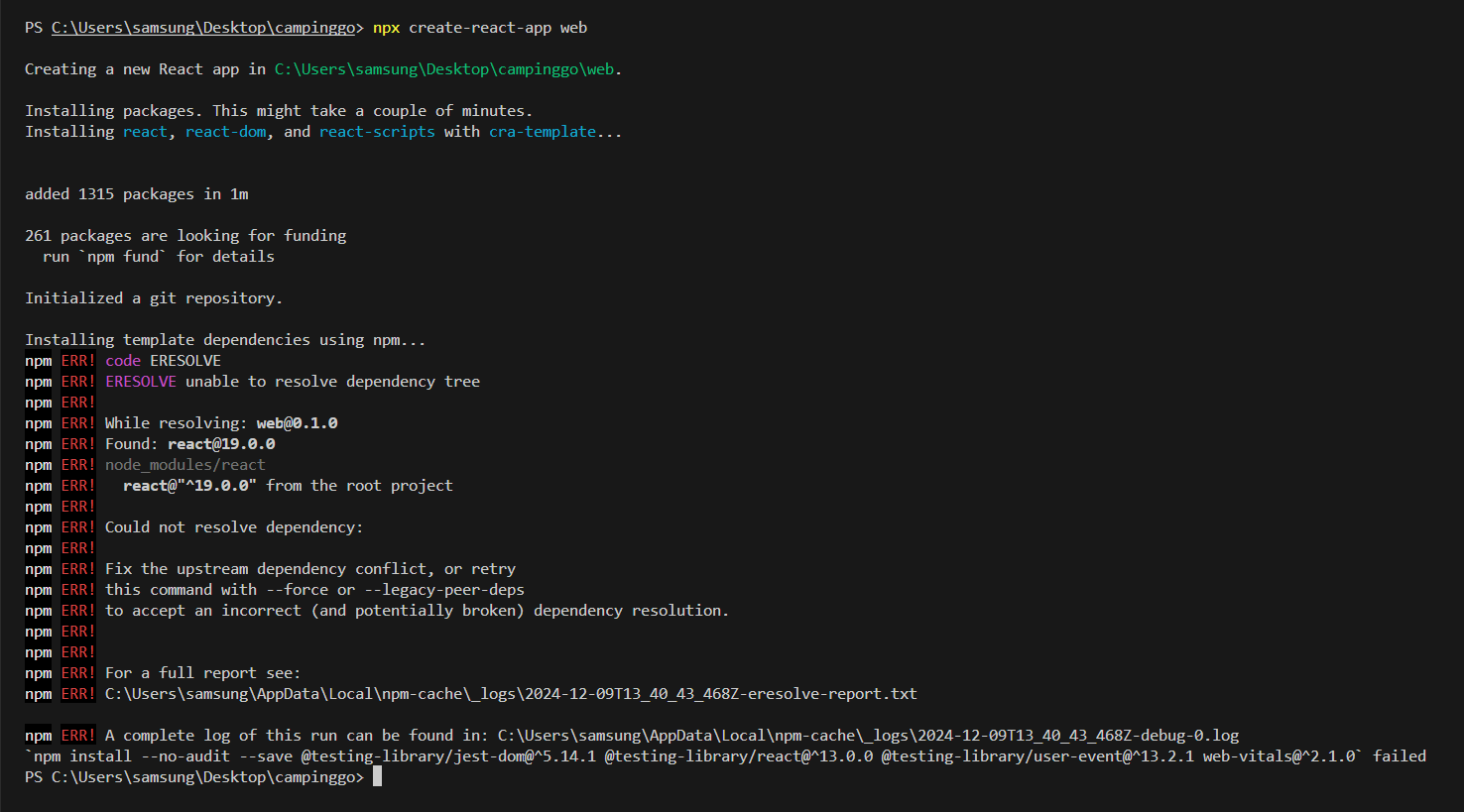
리액트 공부를 하기 위해 npx create-react-app을 실행하였다.
<오류>
Creating a new React app in C:\Users\samsung\Desktop\campinggo\web.
Installing packages. This might take a couple of minutes.
Installing react, react-dom, and react-scripts with cra-template...
added 1315 packages in 1m
261 packages are looking for funding
run npm fund for details
Initialized a git repository.
Installing template dependencies using npm...
npm ERR! code ERESOLVE
npm ERR! ERESOLVE unable to resolve dependency tree
npm ERR!
npm ERR! While resolving: web@0.1.0
npm ERR! Found: react@19.0.0
npm ERR! node_modules/react
npm ERR!   react@"^19.0.0" from the root project
npm ERR!
npm ERR! Could not resolve dependency:
npm ERR!
npm ERR! Fix the upstream dependency conflict, or retry
npm ERR! this command with --force or --legacy-peer-deps
npm ERR! to accept an incorrect (and potentially broken) dependency resolution.
npm ERR!
npm ERR!
npm ERR! For a full report see:
npm ERR! C:\Users\samsung\AppData\Local\npm-cache\_logs\2024-12-09T13_40_43_468Z-eresolve-report.txt
npm ERR! A complete log of this run can be found in: C:\Users\samsung\AppData\Local\npm-cache\_logs\2024-12-09T13_40_43_468Z-debug-0.log
npm install --no-audit --save @testing-library/jest-dom@^5.14.1 @testing-library/react@^13.0.0 @testing-library/user-event@^13.2.1 web-vitals@^2.1.0 failed

npm ERR! While resolving: web@0.1.0
npm ERR! Found: react@19.0.0
npm ERR!   react@"^19.0.0" from the root project
npm ERR! Could not resolve dependency:
npm ERR! Fix the upstream dependency conflict, or retry this command with --force or --legacy-peer-deps
[원인]
<문제 원인>
- react@19.0.0 버전이 기본 설치되었으나 CRA 템플릿에 포함된 일부 패키지 또는 @testing-library/*등 부가 의존성이 React19와 호환되지 않음
- npm은 기본적으로의존성 충돌이 있을 경우 설치를중단하는 정책을 사용
[해결 방법]
- --legacy-peer-deps 옵션 사용
- React 18 버전으로 다운그레이드
- --force 옵션 사용(권장 X)
- CRA가 아닌 vite로 생성
1. --legacy-peer-deps 옵션 사용
CRA가 의존성 트리 문제를 무시하고 설치를 계속하도록 명령
npx create-react-app web --legacy-peer-deps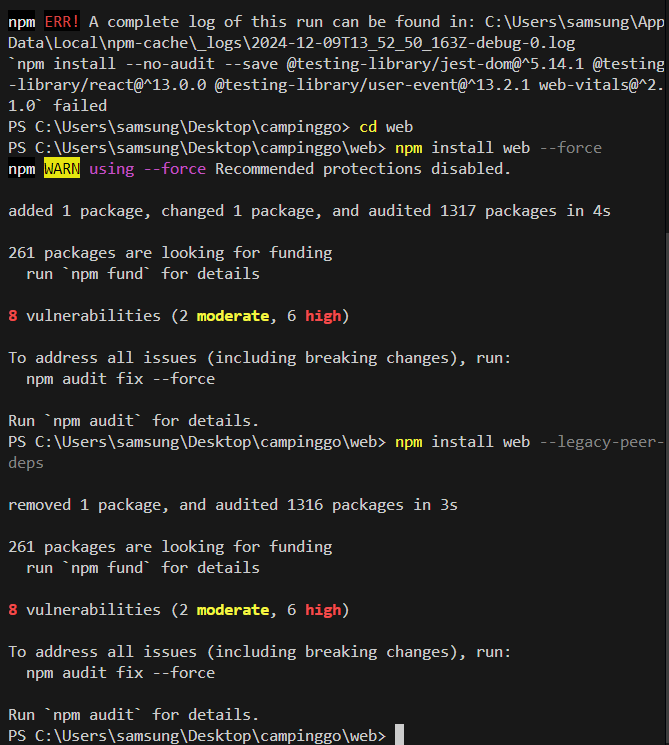
2. React 18 버전으로 다운그레이드
CRA 템플릿과 호환되는 버전으로 명시적 설치
npx create-react-app web --template cra-template
cd web
npm install react@18 react-dom@18
또는 package.json의 React 버전을 수동으로 변경한 후 npm install을 다시 실행할 수 있다.
package.json 버전을 수정해서 설치하는건... 개인적으로 권장하지 않습니다.. lock파일의 의존성에 문제가 생길 가능성이 있습니다.👀
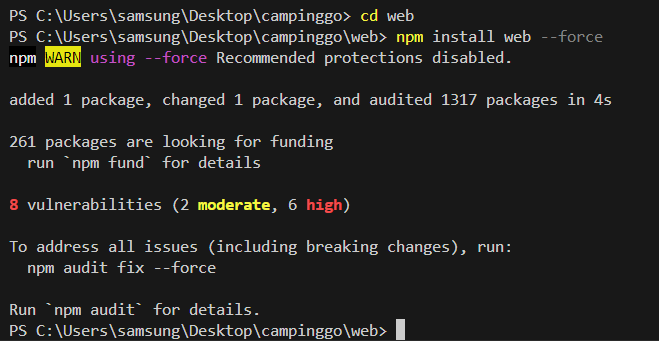
3. --force 옵션 사용(권장 X)
강제로 설치
npx create-react-app web --forceweb 폴더(작업중인 폴더)로 이동해서 해야한다.
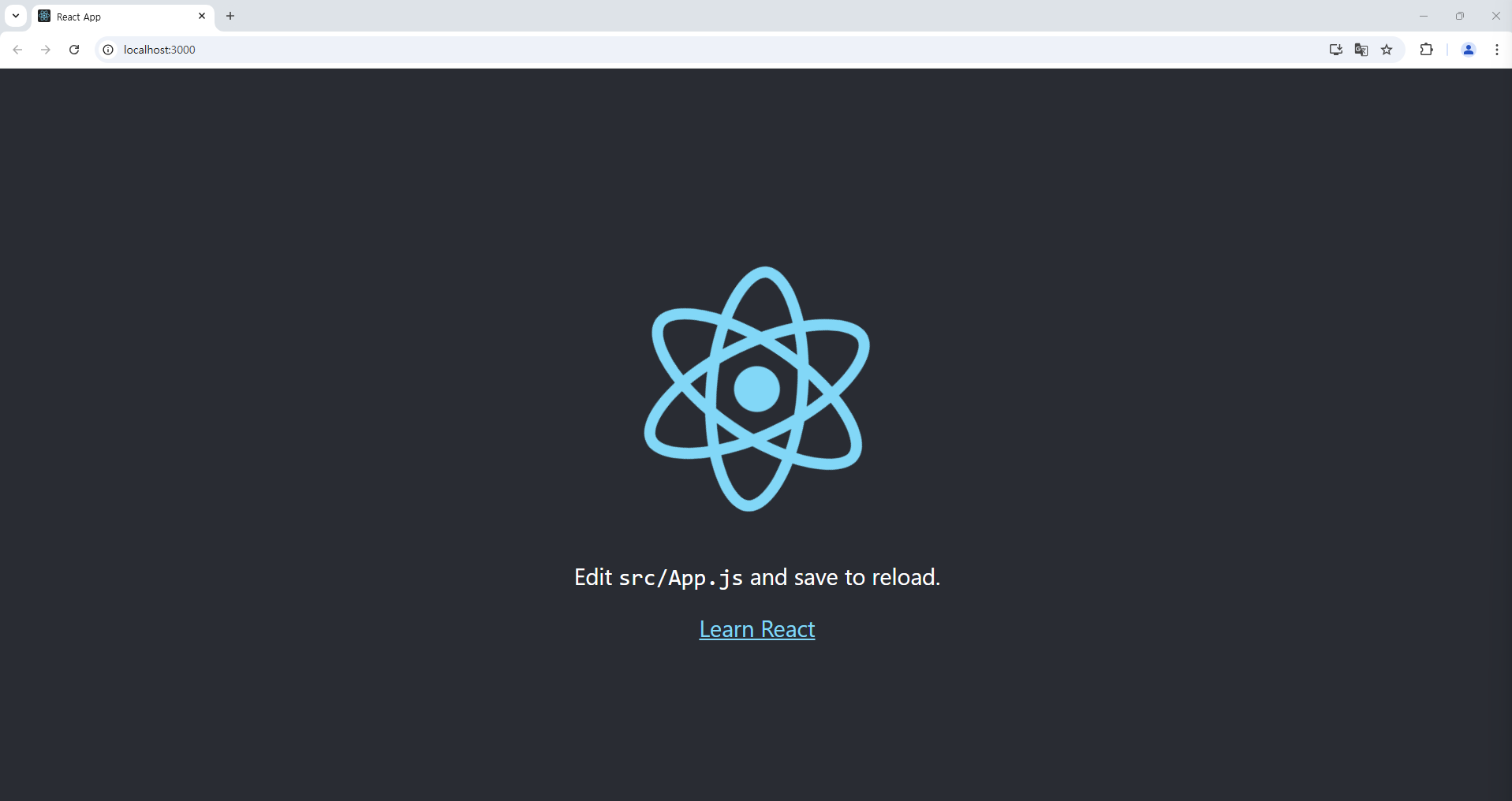
만약 npm run star 또는 npm run dev를 했을 때 Webvitals.js 관련 오류가 생긴다면

Module not found : Error: Can't resolve 'web-vitals' in '경로'npm install web-vitals
npm run start
하면 잘 뜬다.
4. CRA가 아닌 vite로 생성
https://devyihyun.tistory.com/230
[React] vite로 리액트 설치하기
목차 create-react-app 지원 종료vite를 사용하는 이유vite 시작하기 [Create-React-App 지원 종료]npx creat-react-app은 리액트를 시작하게 해 준 간편한 도구였다.복잡한 설정 없이도 바로 개발을 시작할 수 있
devyihyun.tistory.com
https://devyihyun.tistory.com/168
[React] 리액트 시작하기 / 리액트 설치 / 개발환경
목차 작업환경 준비하기Node.js 설치하기yarn 설치하기vscode 설치하기git for windows 설치하기리액트 환경설정 리액트 환경을 설치하는 CRA가 2025년 2월 14일에 종료되었습니다.npx create-react-app 대신 vite
devyihyun.tistory.com
잘못된 정보는 댓글에 남겨주시면 감사하겠습니다!☺️
댓글과 좋아요는 큰 힘이 됩니다!

'T-LOG > E-LOG' 카테고리의 다른 글
| [E-LOG] [warning]React Hook useEffect has a missing dependency (0) | 2025.11.14 |
|---|---|
| [E-LOG] Input elements should have autocomplete attributes (0) | 2025.10.30 |
| [E-LOG] Remove-Item : 매개 변수 이름 'rf'과(와) 일치하는 매개 변수를 찾을수 없습니다. (0) | 2025.10.27 |
| [E-LOG] Vite 다운그레이드 중 ERESOLVE 의존성 충돌 오류 (0) | 2025.10.24 |
| [E-LOG] vite 환경 설정 오류 해결법 (0) | 2025.10.23 |


